01
Listen & memorise
About 40 reciters, with murattal, mujawwad and teaching styles. Follow highlighted ayahs, adjust speed, repeat a verse or a range, and download recitations for offline listening.
A NEW CHAPTER IN YOUR DAILY WORSHIP
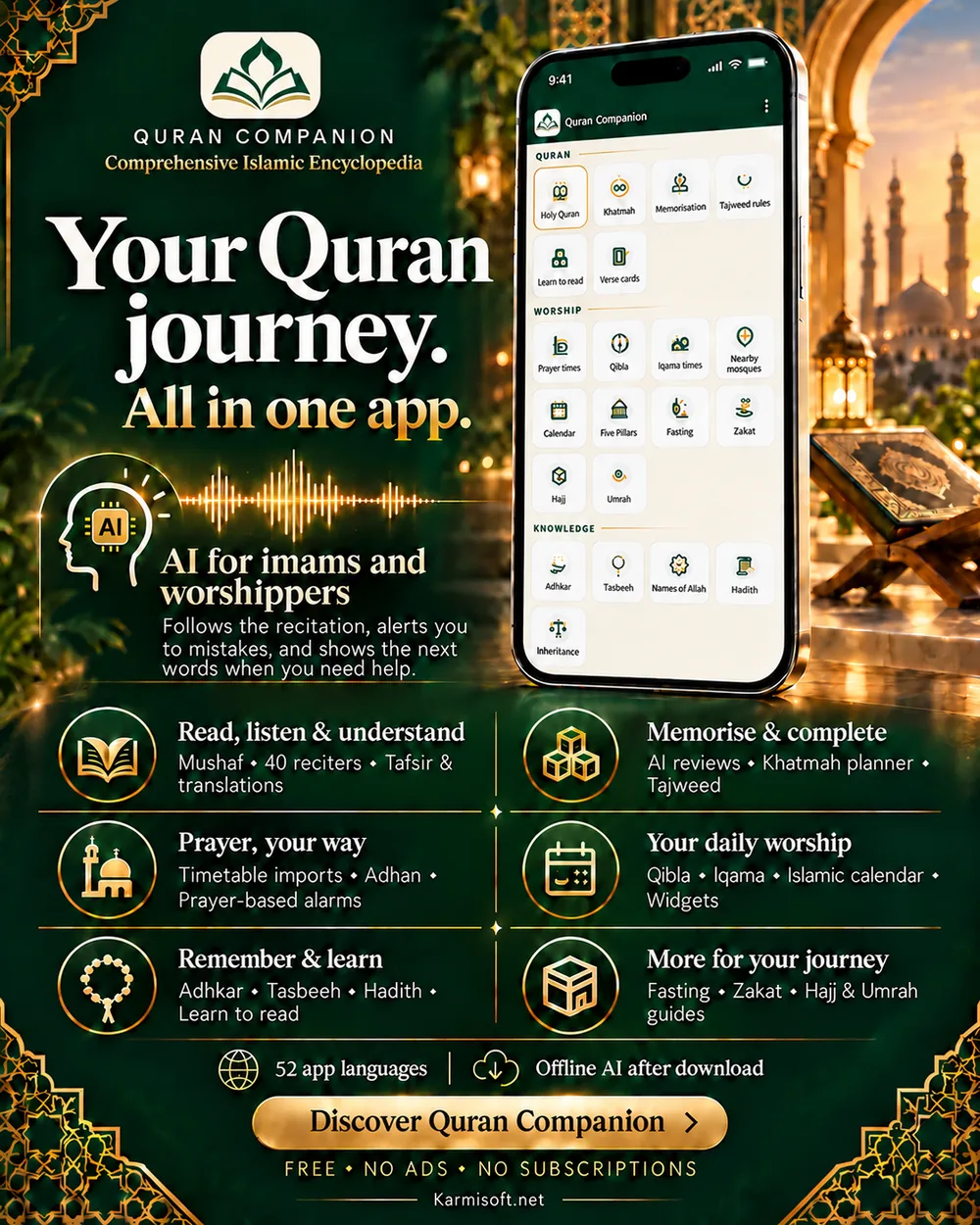
A complete Quran and worship companion, bringing together a remarkable combination of tools in one free app. Read, listen, memorise, understand and pray—with on-device AI beside you. An essential everyday companion for every Muslim, and a thoughtful helping hand for imams, huffaz and worshippers, especially in Ramadan and Taraweeh.
Available on Android and iOS
AUTOMATIC AYAH DETECTION
No need to select your starting surah or ayah, or navigate the pages as you recite. After hearing a few words, Quran Companion finds your place in the Quran and follows automatically. Move to another passage or begin a new rak‘ah, and it finds your new place—so you can keep your attention on your recitation.
WATCH THE TOUR
A short narrated tour: Quran Companion follows your recitation, helps when you hesitate, alerts you to mistakes and strengthens your memorisation, plus everything else the app offers for your day.
A video tour of the app's features: watch it here.
RECITE WITH CONFIDENCE
Recite from memory while Quran-trained AI finds your place, follows each ayah and turns the pages. The screen stays black while you continue. When you pause or hesitate, your ayah and the next words appear—just when you need them.
Choose a full mushaf page or a large text window, readable from about two metres.
Reveal the ayah with a watch, Bluetooth headset, double-tap, or optional Android volume keys.
Choose a visual prompt, vibration, or both, with the expected words highlighted. Recognition is an aid; some errors may be missed.
MADE FOR RAMADAN · VALUABLE EVERY DAY
A practical companion for the long recitations of Taraweeh: support for the imam leading, the hafiz revising, and the worshipper following along.
Keep the display black until help is needed. Bring up the next words with a button on your watch or a pause in recitation.
Follow the imam with automatic ayah tracking and page turns. Prayer phrases and changes between rak‘ahs are understood.
Revise with ayah and range repetition, follow your place through each juz, and set reminders before Fajr or other prayers.
For the best results in a mosque, place the phone about 1–2 metres from the imam, to one side and outside the place of prostration, with the mosque’s permission. Use silent mode; on iPhone, enable Focus yourself.
ONE APP, THROUGHOUT YOUR DAY
About 40 reciters, with murattal, mujawwad and teaching styles. Follow highlighted ayahs, adjust speed, repeat a verse or a range, and download recitations for offline listening.
The Madinah Mushaf (1441) is built in. Download Tajweed, Hafs or Warsh pages; explore classical tafsirs and translations of the meanings in around 60 languages. Long-press an ayah to study, copy or share it.
Offline prayer times for your location or about 72,000 cities. Country-based methods, official Palestinian timetables, mosque timetable import, adhan choices, and alarms before, at or after prayer.
A compass corrected to true north, with directions to turn and a vibration when aligned. Shows the bearing and distance to Makkah; compass accuracy depends on your device and surroundings.
Switch between Hijri and Gregorian months, see Islamic occasions, White Days, moon phases and daily prayer times, and convert dates.
52 built-in interface languages, right-to-left layouts, night mode, page colours, adjustable text and highlights, bookmarks, surah/juz/hizb navigation, and search by words, reference or recitation.
EVERYTHING IN ONE APP
INSIDE THE APP
SMART VOICE COMMANDS
Navigate, listen, repeat, choose a reciter, change speed, ask about tafsir or i‘rab, check prayer times, convert dates, and open the Qibla. Speak in Arabic, colloquial Arabic or English.
Voice commands use your phone’s speech service; internet requirements depend on the device and its settings.
POWERFUL ON YOUR PHONE
The complete Madinah Mushaf is included. Download a Quran recognition model, then let AI follow your recitation without an internet connection. Download your chosen recitations, tafsirs and translations to use those offline too.
With a Quran model selected, recitation recognition runs locally. Your audio is not sent to a speech service.
No account, ads or subscriptions. Session recording is off by default; saved recordings are shared only when you choose.
Downloads, streaming and optional online translation need internet. The alternative Google/Apple speech service may process audio online.
Open the app and choose from 52 built-in languages.
In Quran settings, download the recommended Quran model. Download any books or recitations you want to keep.
Allow the microphone and read normally. Choose a black-screen mode, large prompt and optional alerts to suit you.
EXPLORE EVERY DETAIL
Browse the full feature list or open the complete user guide for settings, display modes, voice examples and troubleshooting.
Yes. The app is free, with no advertising, subscriptions or in-app purchases.
The built-in mushaf works offline. AI recitation following works offline after a Quran model download. Download reciters, books and extra mushafs before travelling. Voice commands use the phone’s speech service and may need internet.
Optional alerts help when your recitation diverges from the expected words, but recognition is not perfect and a single wrong word may pass. It assists revision and does not replace a qualified teacher.
Android offers optional volume-key triggers and automatic Do Not Disturb during sessions. On iPhone, enable Focus yourself. iOS adhan and prayer alarms use notifications, with sound limited to 30 seconds and subject to ringer/Focus settings.
Use Apple Watch Now Playing or Wear OS media controls to show or hide the page during a session. Compatible headset or remote play/pause buttons work too.
Yes. Get it free on Google Play for Android, and on the App Store for iPhone and iPad, with the buttons at the top of this page. For questions or support, contact quran.companion@karmisoft.net.

Read. Recite. Listen. Understand. Pray. All in one place.
For help, include your app version, phone model, Android/iOS version and the steps that caused the issue.
quran.companion@karmisoft.net